当前专题
2026-04-06
17分钟
墩墩
Online tool: https://www.douyacun.com/pdf/remove-watermark
Removing a text watermark from a PDF sounds simple at first glance: find the watermark text and delete it. In practice, that assumption is exactly what causes unstable results.
The real difficulty is that two things have to be true at the same time. We need to identify the watermark correctly, and we need to delete only the exact drawing operation that belongs to that watermark. If either part is too rough, the output breaks quickly.
In this optimization cycle, we focused on three recurring problems: important titles being deleted by mistake, watermark candidates being hard to understand in the UI, and users having to click character by character to finish review.
Image watermarks are usually treated as image objects or graphics. Text watermarks are different. In many PDFs, they live directly inside content streams as text drawing instructions such as Tj and TJ, sometimes inside reused Form XObjects.
That matters because the same visible text can appear in multiple roles at once. A watermark may say the same thing as a heading, a page label, or a legitimate text fragment in the body. If the system only looks at the text content, it has no reliable way to tell them apart.
PDF internals make this even trickier. Text can be encoded through font-specific mappings, reused across pages, and rendered with different matrices, opacity, and color settings. So "delete this string" is not really a PDF operation. It is only a guess layered on top of a much more complicated drawing model.
One failure case made the problem obvious. In one sample file, the watermark text was 青衣说. A larger legitimate title on the page also contained 青衣说.
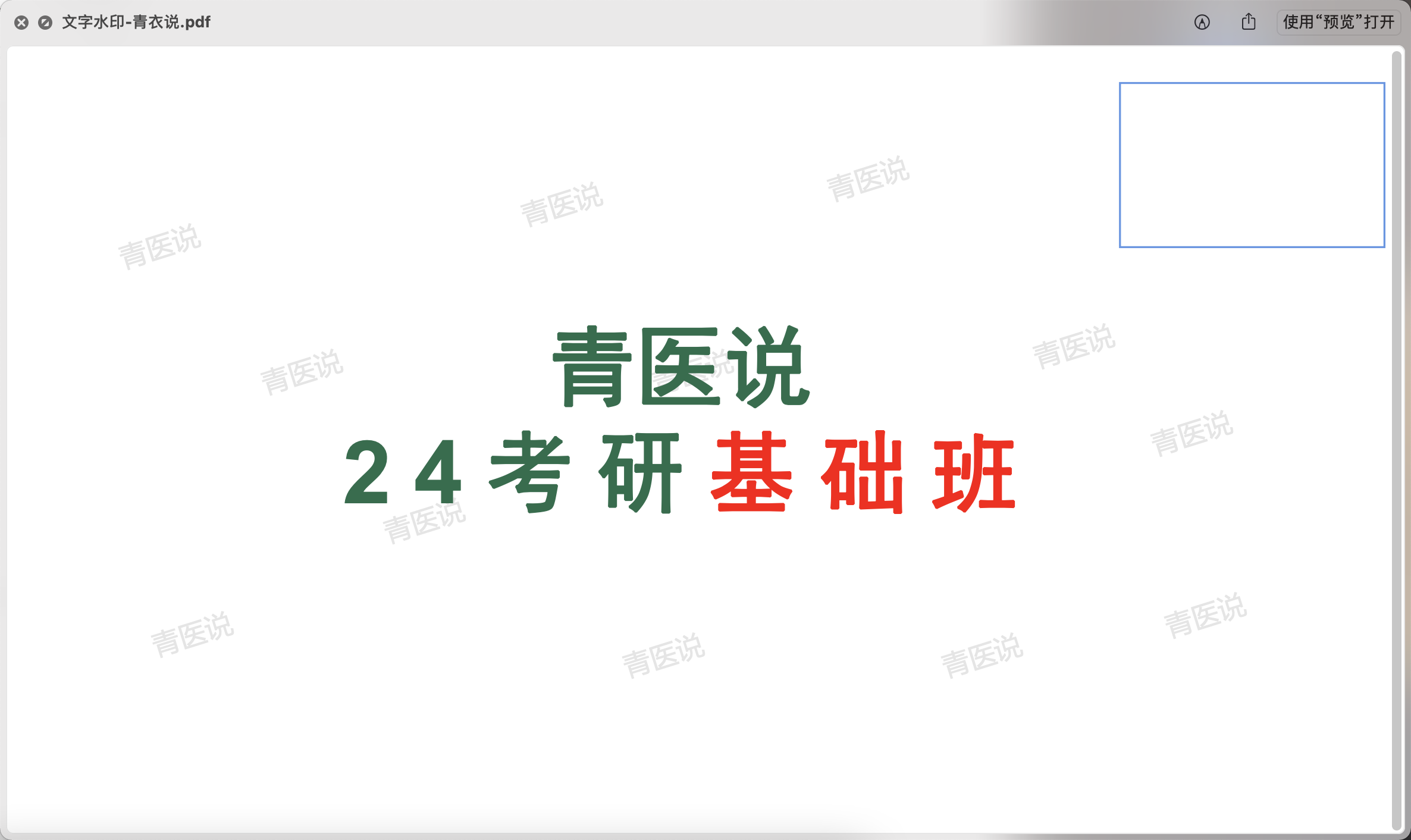
Our early approach leaned too heavily on raw_text and global byte-pattern replacement. Once the deletion logic matched the relevant byte sequence, it could remove not only the watermark, but also the title if both happened to share the same or similar encoded operand pattern.
That created several practical issues:
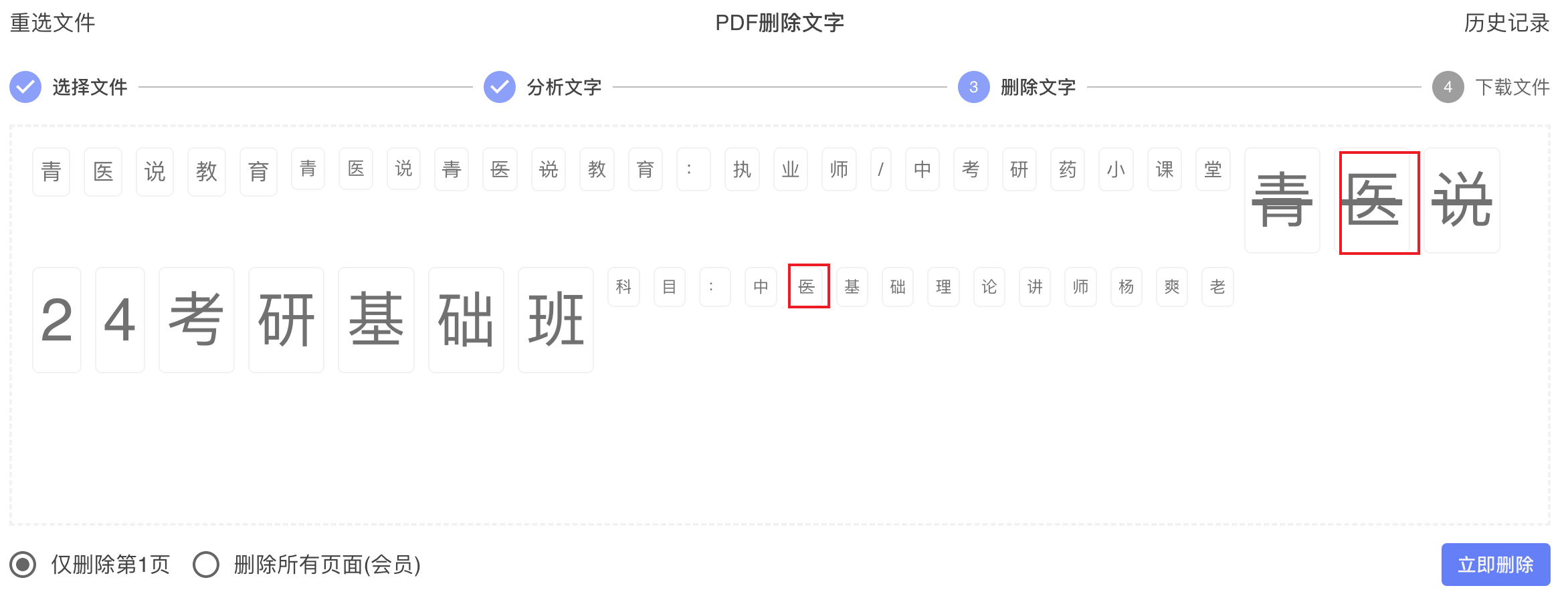
The important lesson was that "recognition exists" did not mean "deletion is safe." Detection and deletion were coupled, and the deletion side was the real weak point.
The first step was to work closer to the PDF syntax instead of relying only on final visual output.
We scan actual text drawing operations from content streams, including Tj and TJ, and extract the context around each operation: font, font size, transform matrix, opacity, fill or stroke color, stream scope, and whether the text comes from a page content stream or a Form XObject.
We also improved decoding so candidates could be grouped and displayed as readable text whenever possible. Instead of treating the operand as opaque bytes, we use font mapping information such as ToUnicode and CMap data when available. That gives us real text for files that previously only exposed unreadable byte fragments.
On top of that, we introduced a scoring model for text watermark candidates. The score combines multiple hints that are common in watermarks:
This produces a more practical result set. High-confidence watermark candidates can be marked as selected by default, while uncertain candidates are still returned for review without being automatically deleted.
This was the most important improvement.
The old deletion path effectively said: "Here is a byte pattern that looks related to watermark text. Replace it everywhere we can find it." That is fundamentally unsafe in PDFs. It does not know which object is being edited. It only knows that some bytes matched.
The new approach preserves operation-level identity during detection and reuses it during apply. For each text candidate, we keep structured fields such as:
stream_xrefop_indexoperator such as Tj or TJDuring deletion, we re-parse the target stream instead of doing a document-wide search-and-replace. Then we match the selected candidate back to the exact text drawing operation inside the same stream and rewrite only that operation.
That shift is what prevents the classic failure mode. If the watermark and the title both contain 青衣说, but they live in different operations or different streams, the deletion logic now has a hard boundary. It can remove the selected watermark operation without touching the title.
The key insight is simple: precision does not come from guessing harder. It comes from knowing exactly which PDF object you are modifying.
Backend precision alone was not enough. Users still needed a faster and clearer review experience.
We changed the candidate display so the visible text stays close to the real watermark style. Color, slant, and size are preserved as visual cues, because those cues help users recognize the watermark quickly. At the same time, the UI no longer mirrors very low opacity literally. We enhance readability so candidates are still easy to inspect.
We also added clearer selection feedback with strike-through styling, so users can immediately see what will be removed.
To reduce review cost, we expanded batch interaction:
This is especially important for repeated diagonal text watermarks spread across a page. Once the user identifies one representative item, they should not need to repeat the same action dozens of times.
We also strengthened the feedback loop around the result itself. Preview screenshots and explicit success or failure feedback make the workflow easier to trust, because users can see both what was selected and what changed after apply.
The visible improvement is not just that more watermarks are deleted. The more important improvement is that the system behaves more predictably.
After the optimization:
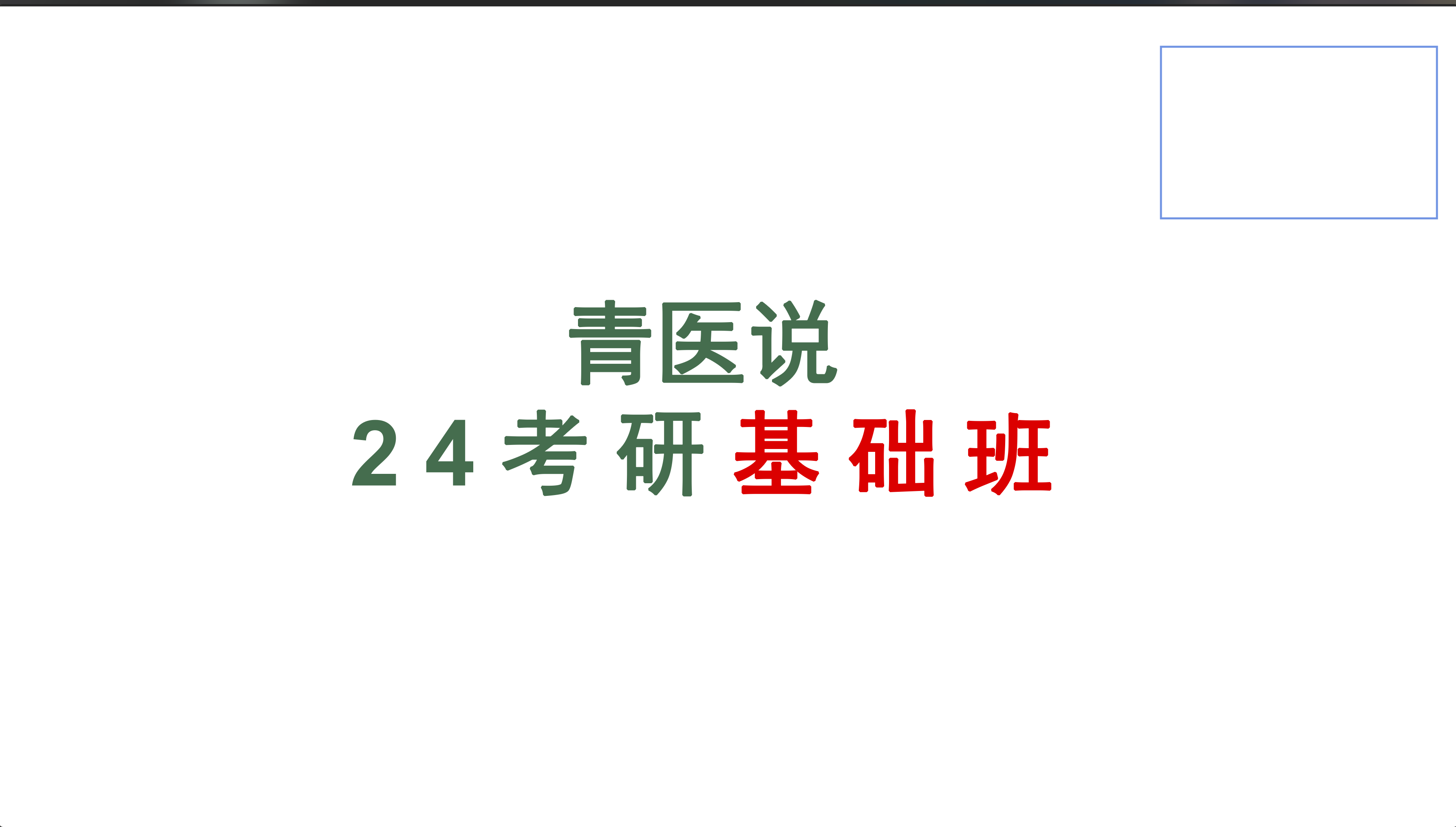
That last point is the real quality threshold. A watermark remover is not useful if it occasionally destroys legitimate content. Precision is not a nice-to-have feature here. It is the product.
This approach works best for real text watermarks that exist as PDF text objects.
It is not the right method for scanned pages where the watermark is baked into the image. Those files require image-domain processing rather than text-operation analysis.
There are also still boundary cases. Complex templates, unusual font encodings, aggressive object reuse, and heavily customized PDFs may still require manual confirmation. We prefer that outcome over false confidence.
Removing PDF text watermarks is not just about deleting characters. A usable solution depends on four parts working together: reliable detection, meaningful scoring, syntax-level precise deletion, and a review flow that users can operate efficiently.
Our earlier version failed mainly because deletion did not know exactly what it was deleting. The current version is stronger because it preserves operation context from detection through apply and edits the intended PDF text operation directly.
That is the difference between matching some bytes that look right and removing the exact watermark the user chose.
 墩墩办公
墩墩办公