当前专题
2026-04-22
14分钟
墩墩
Online tool: https://www.douyacun.com/pdf/remove-watermark
When I first started working on PDF graphic watermarks, I had the same instinct most people have: if the same shape repeats across the page, just find the repeated shapes and remove them.
That idea falls apart pretty quickly.
The reason is simple. Graphic watermarks and legitimate page graphics are often built from the exact same PDF primitives: paths, fills, strokes, icons, connectors, decorations, diagram nodes. So the hard part is not “can we find repetition.” The hard part is “which repeated graphics are actually safe to remove.”
The conclusion I ended up with is pretty direct: graphic watermark removal is not a “detect and delete” task. It is a judgment problem first, and a deletion problem second.
No single rule survives real files for long. Position alone is too crude. Color alone is too crude. Repetition alone is too crude. The more reliable route is to work from the PDF objects upward: extract the real drawing objects, group the messy occurrences into candidates a human can review, and only then delete the confirmed objects.
That is also why graphic watermark removal feels very different from scan watermark removal. If the watermark still exists as PDF graphics, staying at the object layer is usually the cleanest and safest option.
The first real step is not drawing a box on top of a rendered page. It is reading the page drawings, graphic blocks, and content streams.
What actually matters here is object identity: path signatures, fill and stroke styles, bounding boxes, stream scope, and object references. If that context is lost early, precise deletion becomes much harder later.
Another lesson from real PDFs is that a visible watermark is rarely a single object. More often it is a cluster of small drawing pieces. Returning every primitive as a separate candidate makes review painful. Grouping nearby and structurally similar occurrences into one candidate makes the review flow much more understandable.
Only after that does it make sense to ask whether something looks watermark-like. In practice, the strongest hints are the boring ones: stable placement, lighter colors, template-like repetition, or graphics coming from a more isolated stream scope. Even then, I still do not trust every candidate equally. The obvious ones can be preselected. The risky ones should stay visible for review.
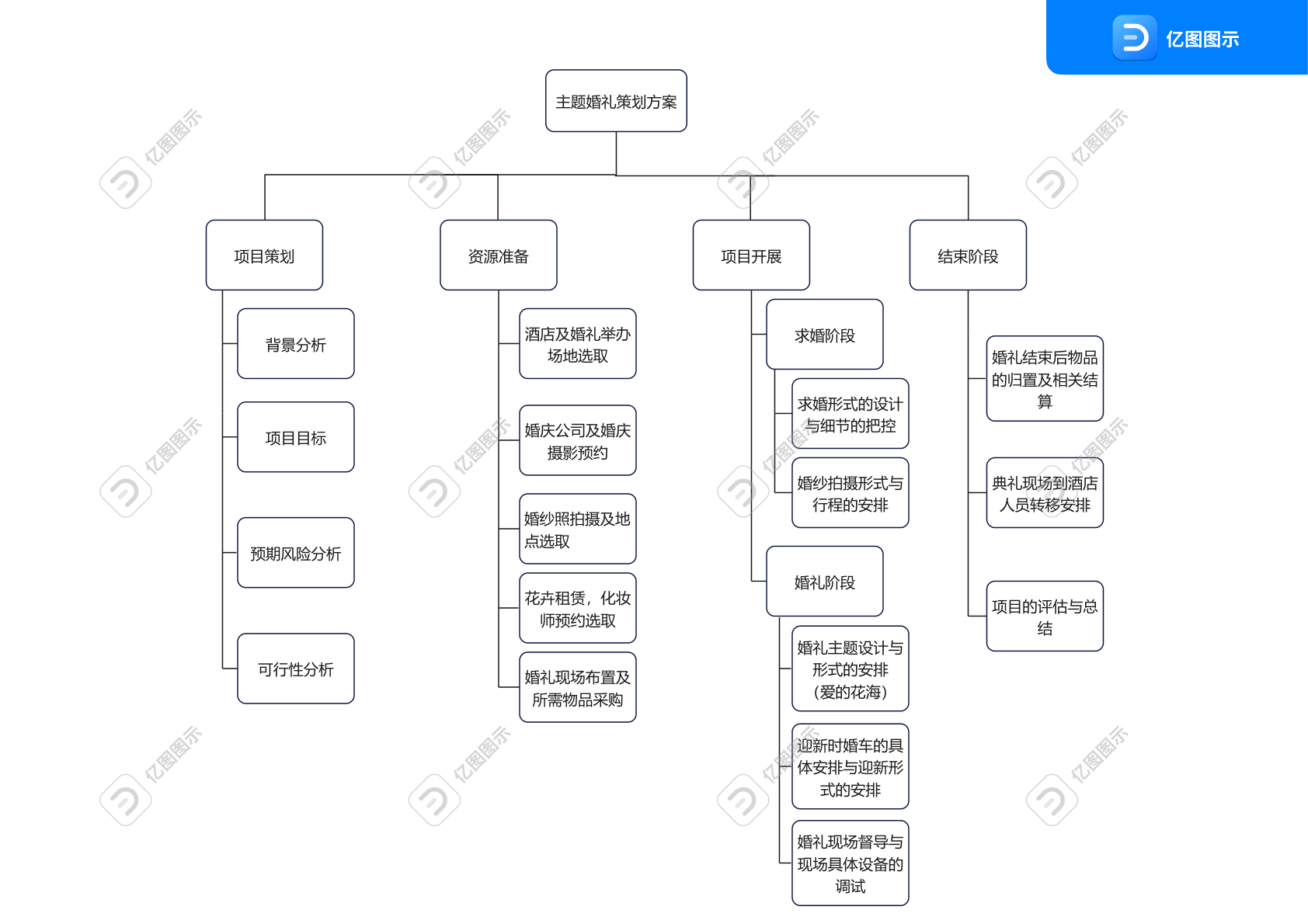
The screenshot below is the real first page of 亿图图示水印.pdf. You can already see a repeated gray graphic watermark, but that visual impression alone is not enough. It still needs to be extracted and grouped properly before the deletion is trustworthy.
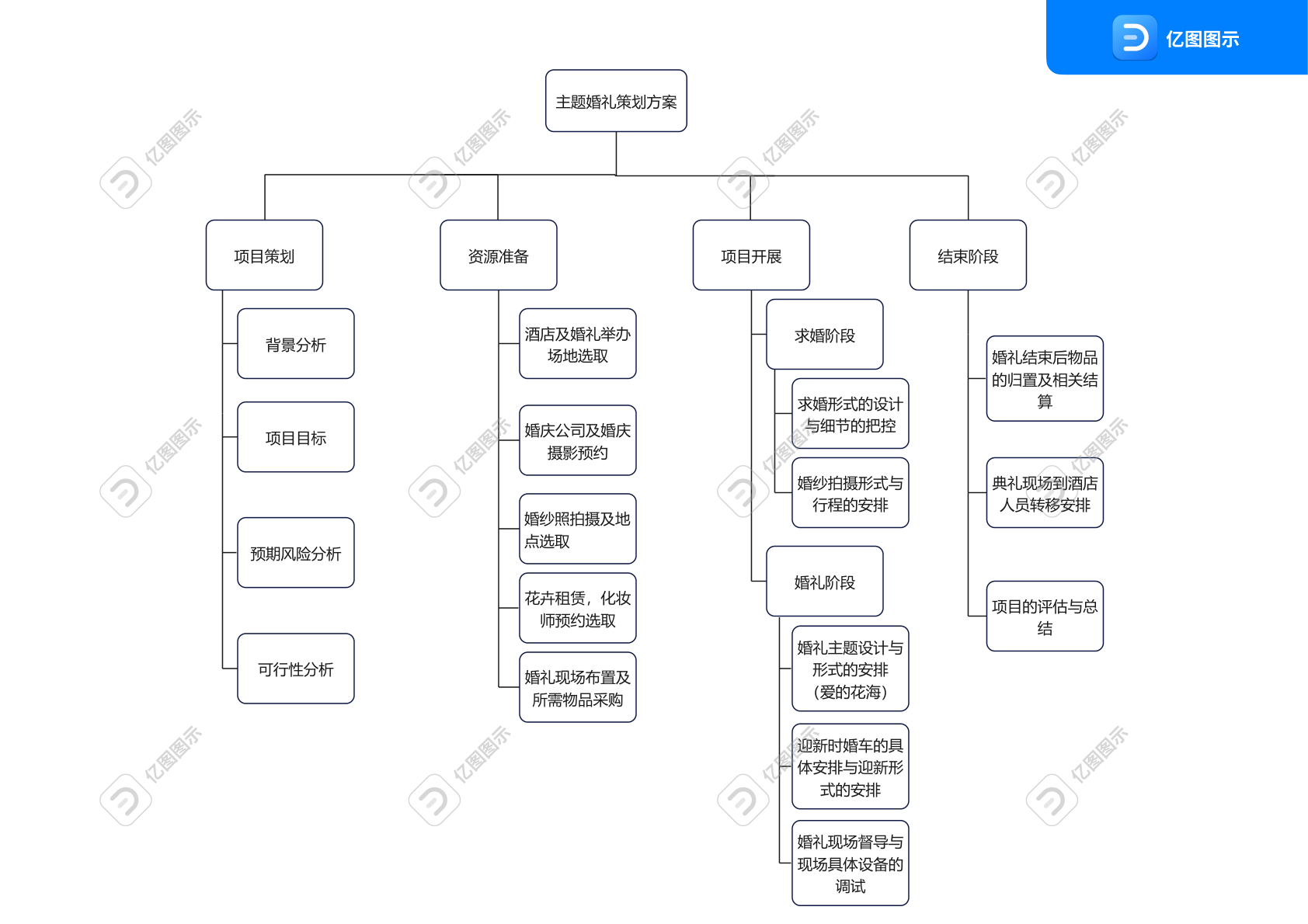
Looking at the page alone is still not enough. It helps a lot to look at what was actually detected. The image below is not a hand-drawn illustration. It is an SVG exported directly from the detected graphic objects themselves.

There are really only two failure modes that matter here: not removing enough, or removing too much.
That is why I do not trust rectangle-only deletion for graphic watermarks, and I definitely do not trust full-page repainting if it can be avoided. The safer route is to carry object-level fields like graphic_items, object_ref, graphic_rect, and stream_scope all the way into apply, then touch only the confirmed objects.
In 亿图图示水印.pdf, the first page ends up as 16 grouped candidates, which expand to 62 real drawing targets. The review UI stays readable, but the actual deletion still happens at content-stream level. That is the part that protects legitimate icons, connectors, and diagram shapes from being removed just because they sit nearby.
The local preview below is one real grouped candidate. It is not a single path. It is a compact preview for a repeated graphic pattern, which makes it much more suitable for review.
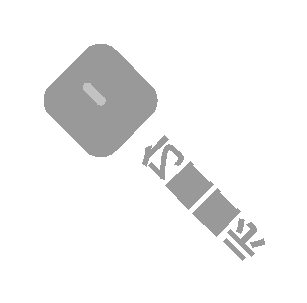
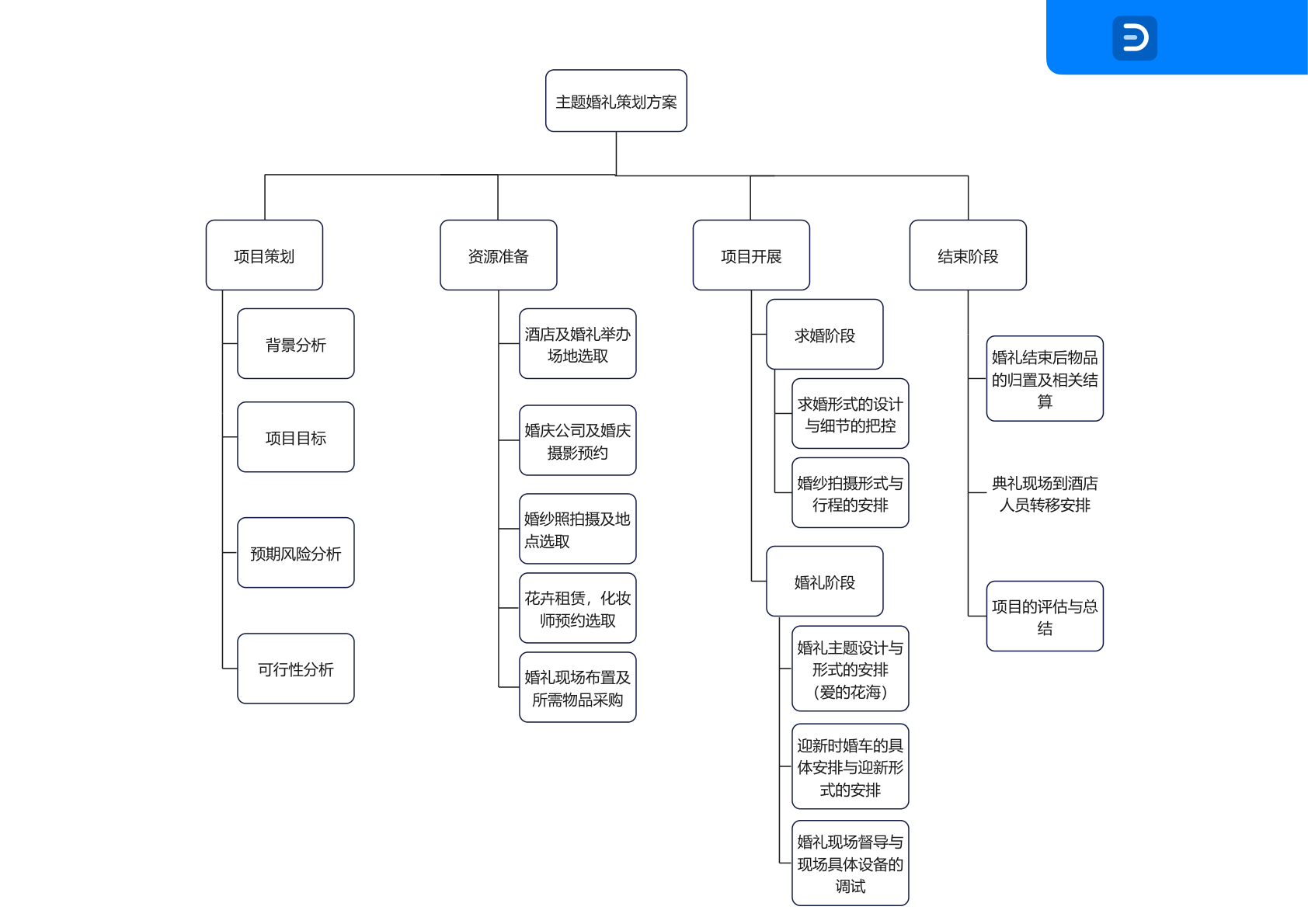
After confirmation, only the corresponding objects are removed, and the rest of the page graphics stay untouched.
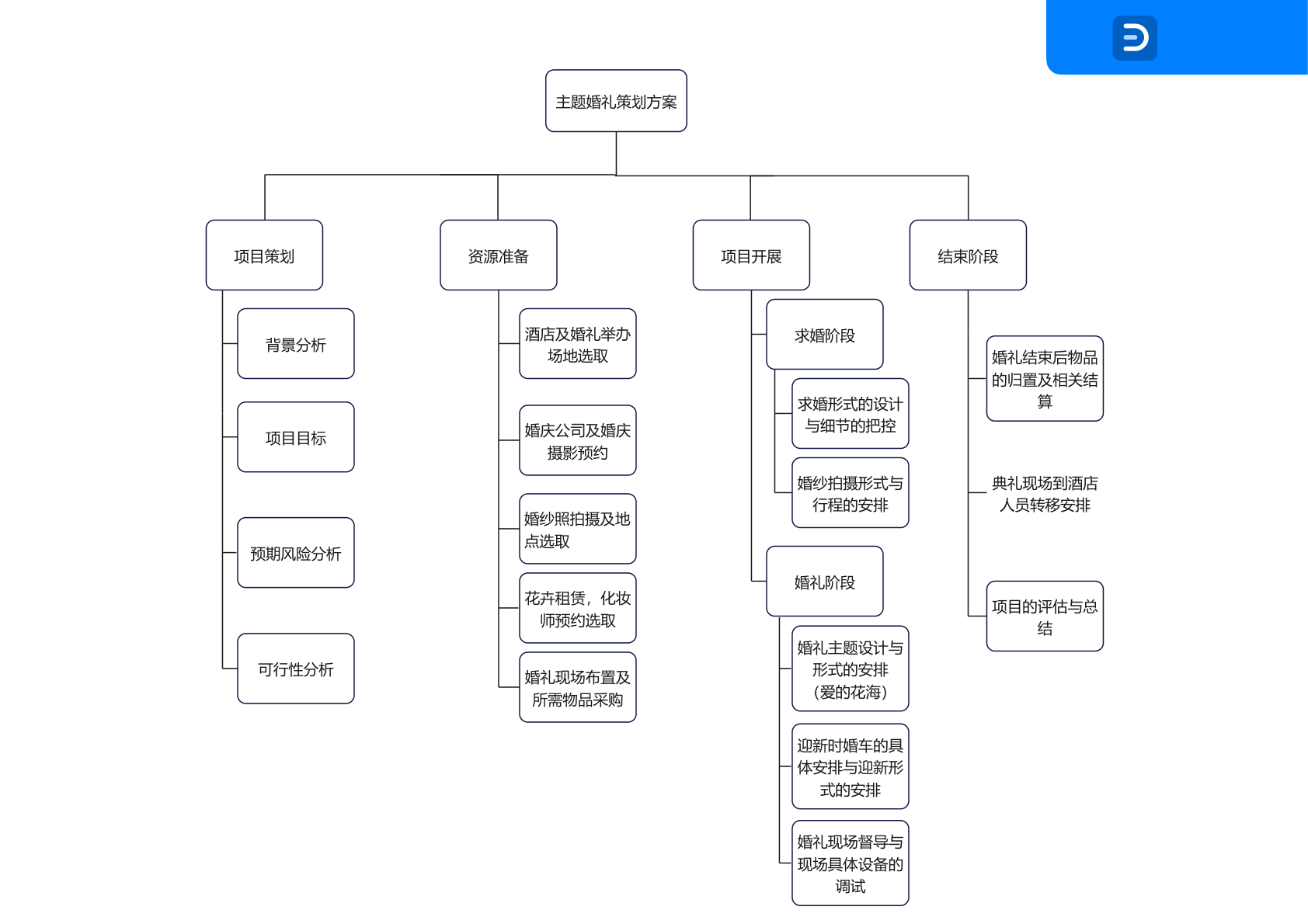
The big takeaway is that precision here comes much more from object identity than from clever visual repair.
Large PDFs are usually not slow because the final delete step is expensive. They are slow because graphic analysis and preview generation become expensive first.
Once page counts get high and drawings get dense, extraction and signature matching start to add up. Candidate counts also balloon faster than most people expect. If every occurrence becomes a candidate, the review UI turns into noise and the API payload gets bloated with paths, previews, and base64 blobs.
Another thing I learned the hard way is that not every heavy page deserves full preview generation. Some pages are better handled by returning compact candidates first, then loading individual previews only when someone actually wants them.
So the useful optimization is not blind concurrency. It is graceful degradation. Estimate complexity first. Group early. Return lighter candidates on heavy pages. Defer expensive preview generation. And even if analysis is downgraded, keep the final deletion object-level.
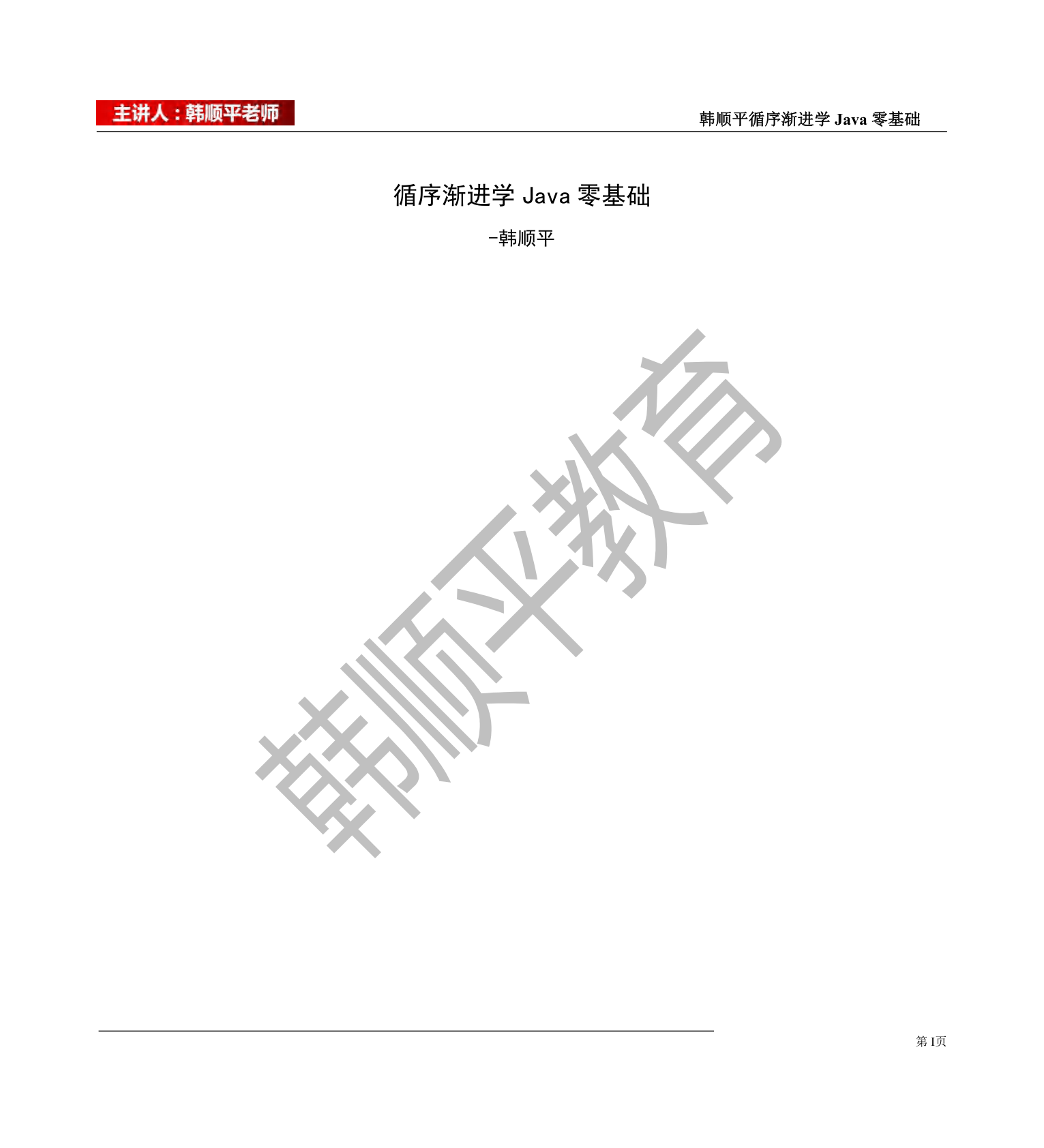
The screenshot below comes from 图形水印-大文件_韩顺平.pdf. Files like this are large enough that the real challenge is reducing unnecessary analysis and unnecessary preview generation, not forcing every page through the same expensive path.
At the other end, 高考密练条约.pdf shows a more regular case where only a small number of stable candidates are needed. Simple pages and complex pages should not be forced through the same review cost.
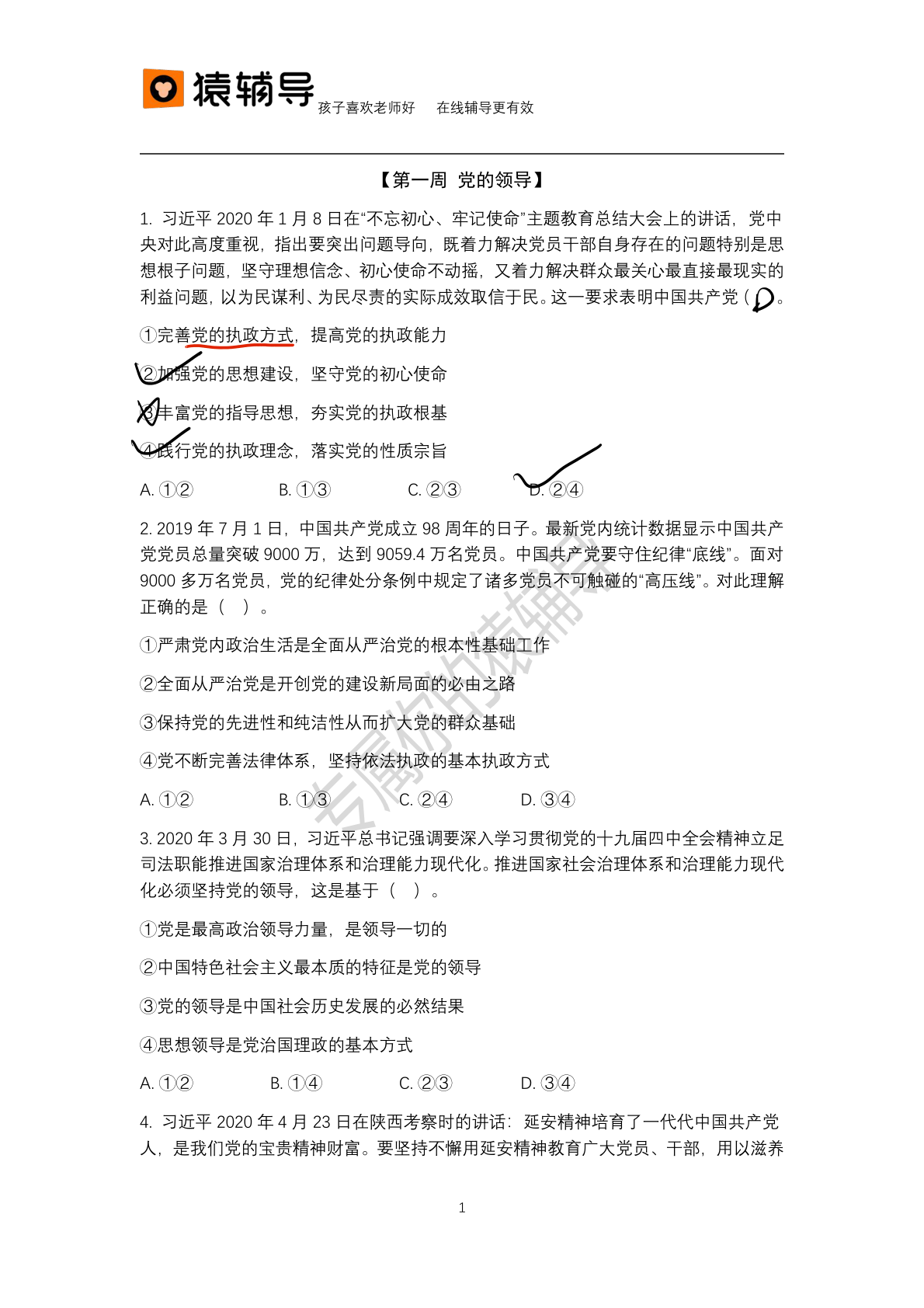
All screenshots here come from real sample PDFs.
亿图图示水印.pdf is the clearest example of the main path. The first page groups into 16 candidates, which expand to 62 real drawing objects. The three images below show the full chain: original page, detected watermark as SVG, and the page after removal.

高考密练条约.pdf is a lighter case. Its first page produces one grouped candidate, which expands to seven real drawing objects. It is a good example of a file where the review path can stay much simpler.
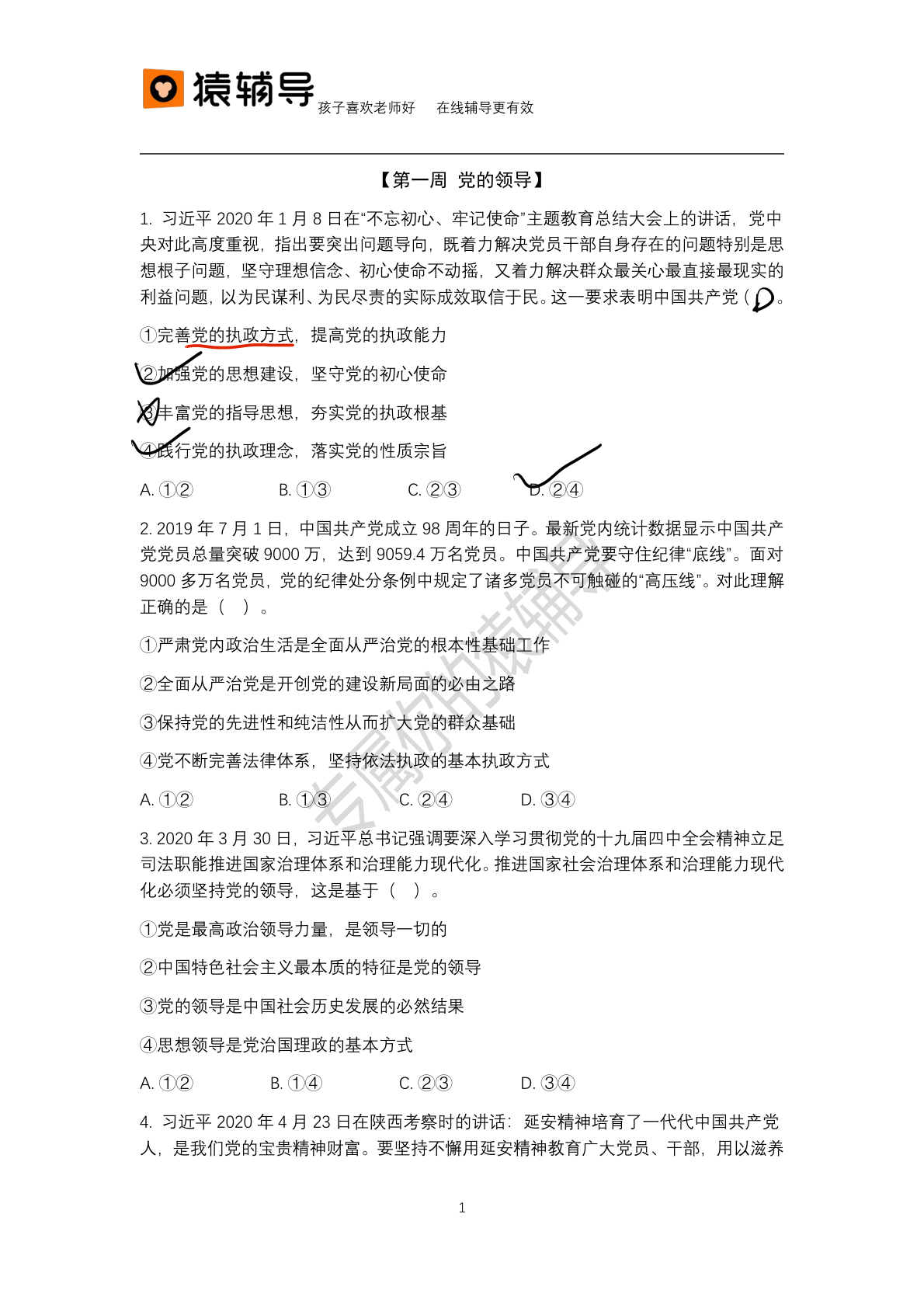

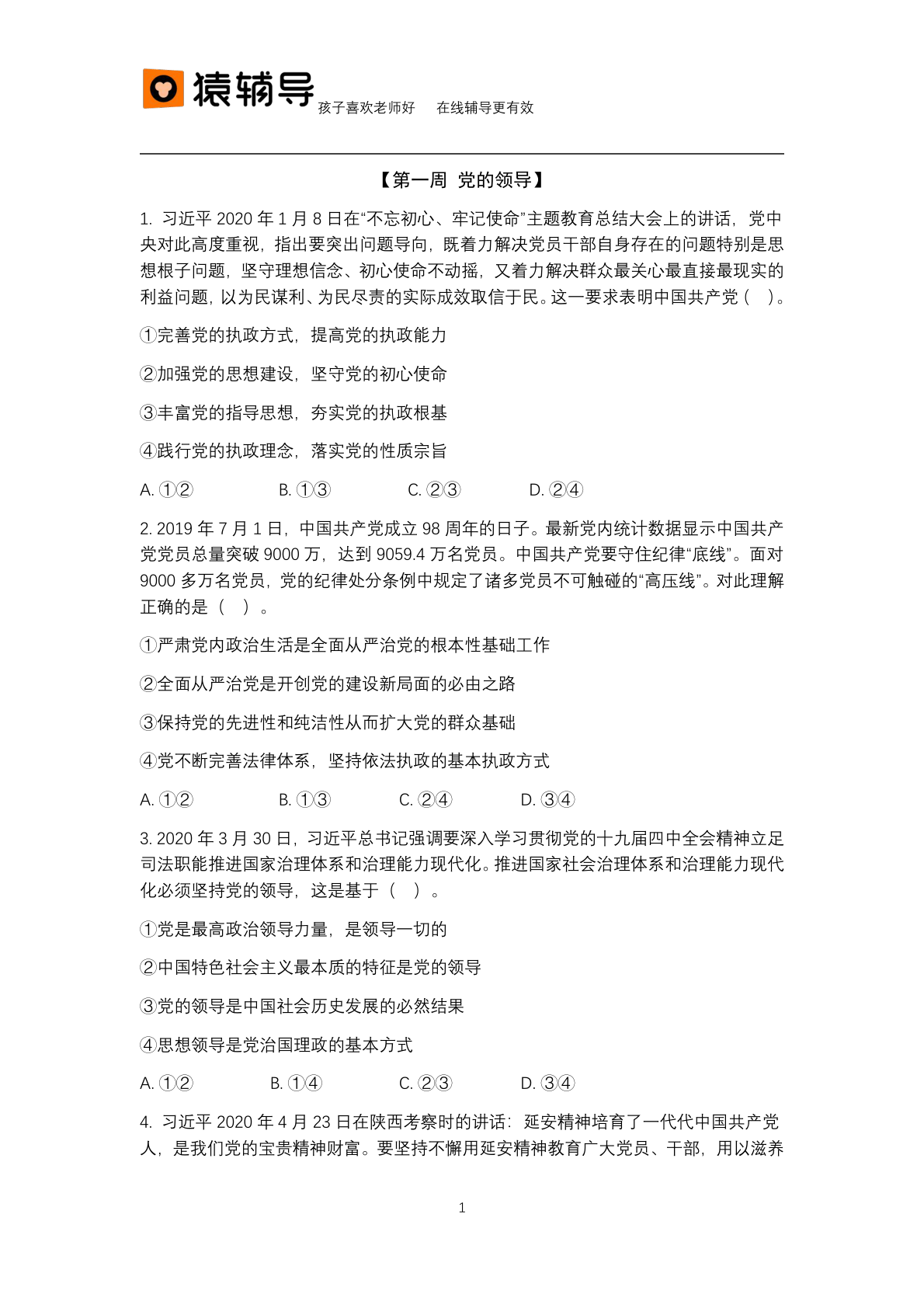
图形水印-大文件_韩顺平.pdf is the large-file case. The point here is not only that the graphic can be detected, but that the evidence chain still holds even on a heavy file: original page, detected object, and the page after removal.
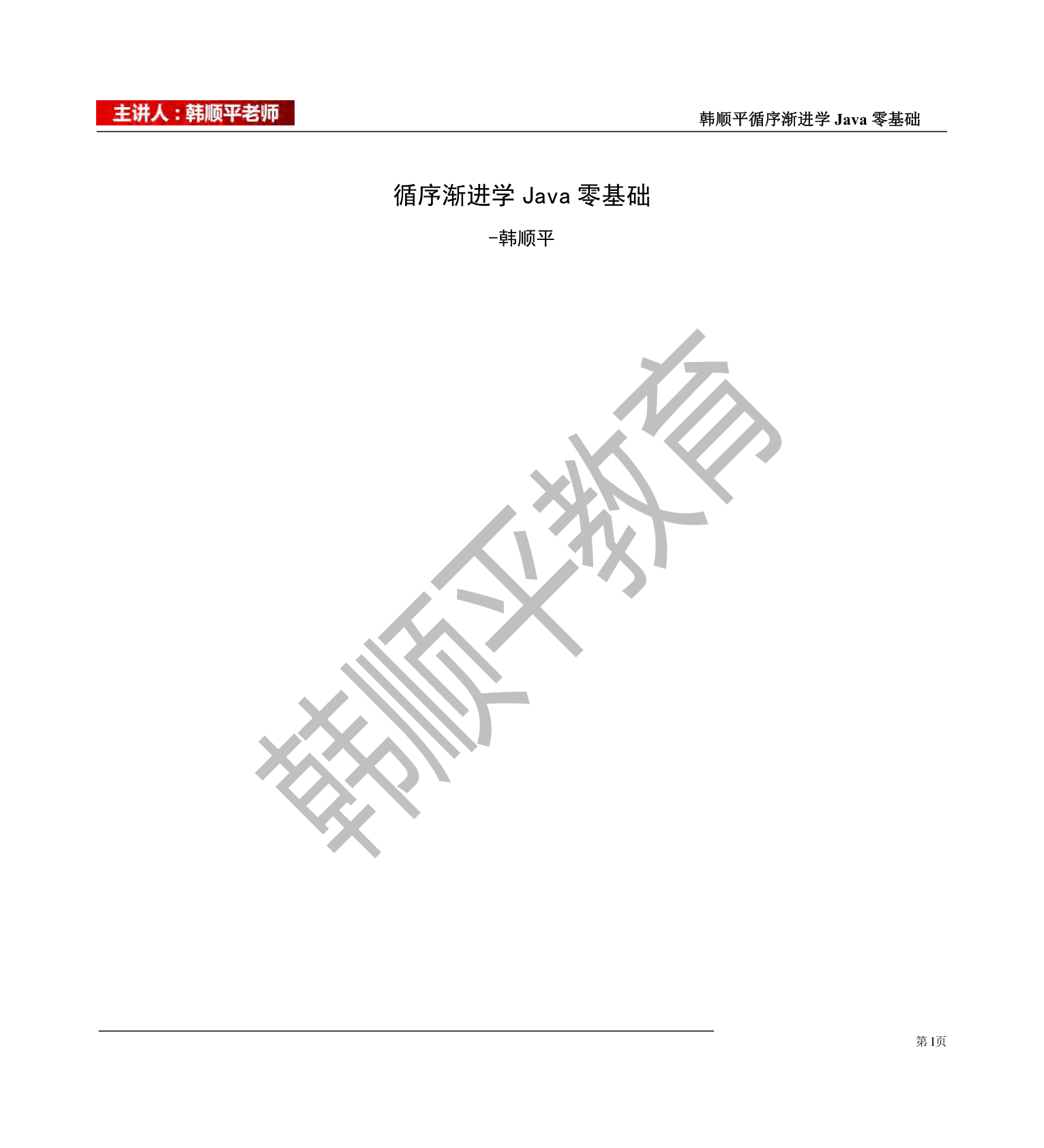

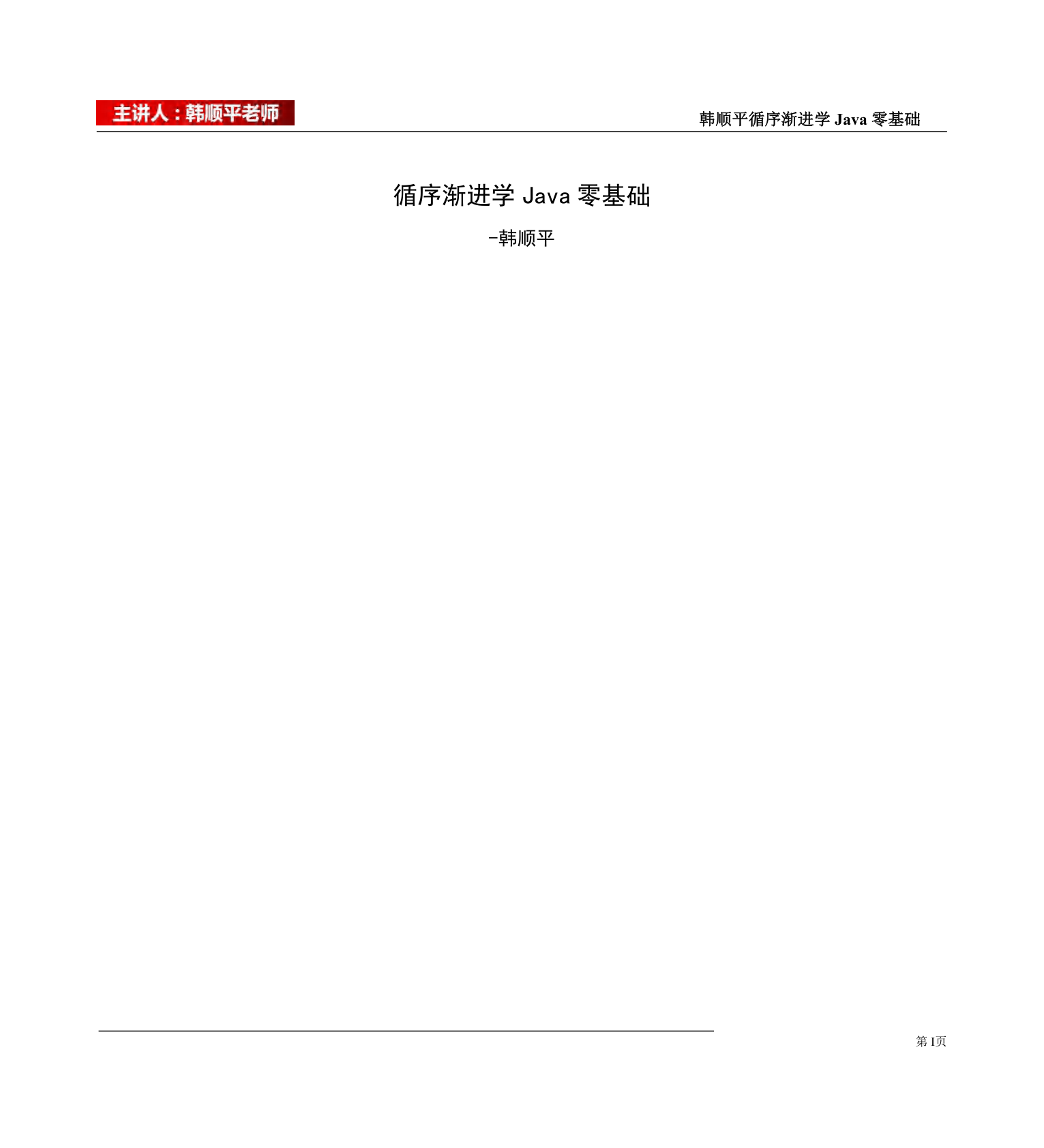
Putting these three cases together makes the claim much easier to verify: the watermark exists in the original page, the detected SVG shows what was actually identified, and the final page shows that removal really happened.
This approach works best when the watermark still exists as real PDF graphics, not as pixels baked into a scanned page.
It gets much less comfortable when the watermark has already been flattened into an image, or when the legitimate graphics on the page are so dense and so similar that any aggressive automatic deletion becomes risky.
So the goal here is not “remove everything automatically.” The goal is simpler and more useful: be precise when the object layer gives enough certainty, and be conservative when it does not.
 墩墩办公
墩墩办公